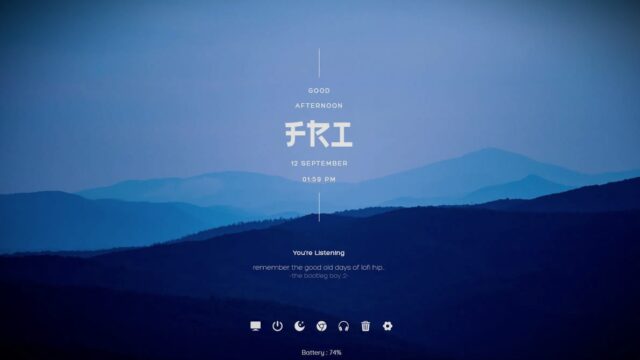
Translucent Taskbar Rainmeter Skin

Elevate your desktop experience with the Rainmeter Translucent Taskbar Skin. Designed to provide a modern and stylish touch, this Rainmeter skin transforms your taskbar into a translucent masterpiece.
With its sleek aesthetics and customizable options, the Translucent Taskbar Skin allows you to create a visually appealing and functional workspace. Let’s dive into the features and customization possibilities of this impressive Rainmeter skin.
Features:
The Rainmeter Translucent Taskbar Skin brings a touch of elegance to your desktop by replacing the default taskbar with a translucent design. This design allows you to maintain functionality while adding a modern and visually appealing element to your workspace. The translucent effect creates a seamless integration with your desktop background, providing a sleek and cohesive appearance.
- Makes your taskbar translucent with blur behind it. Only works on Win10.
- Added 2+ multi monitor support.
Download the Rainmeter Translucent Taskbar Skin:
Ready to upgrade your taskbar?
- Click the button below to download the Rainmeter Translucent Taskbar Skin.
- Create a sleek and visually appealing desktop experience that seamlessly integrates with your existing setup.
How to Install Translucent Taskbar Rainmeter Skin on Windows 10 / 11
- Install Rainmeter: Ensure you have the latest version of Rainmeter installed from the official website (rainmeter.net).
- Download the Skin Package: Click the "Download Skin" button on this page to save the skin package (.rmskin or .zip archive) to your computer.
- Load the Skin: Double-click the downloaded .rmskin file and click "Install" in the Rainmeter Skin Installer window (if it is a .zip/.rar archive, extract the folder into Documents\Rainmeter\Skins and click "Refresh all" in the Rainmeter Manager).
- Customize Your Desktop: Right-click any active widget on your desktop to adjust scale, transparency, coordinates, or skin variables to match your wallpaper.