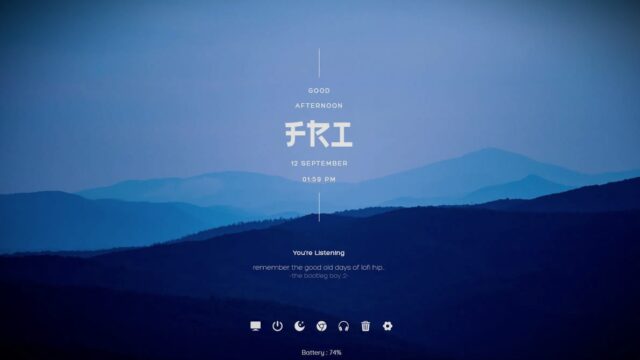
CyberSearch Rainmeter Skin

The CyberSearch Rainmeter skin revolutionizes the way you search the web by placing a search bar right on your desktop. With a minimalistic and clean design, this skin seamlessly integrates into your desktop environment without compromising on functionality.
Simply enter your search query into the search bar, hit enter, and CyberSearch will launch your default web browser with the search results.
CyberSearch Rainmeter Skin:
One of the standout features of CyberSearch is its customizability. You have the freedom to personalize various aspects of the skin to match your preferences and desktop aesthetics.
- Adjust the size, position, color scheme, and font styles of the search bar to create a visually pleasing and cohesive desktop experience.
- With CyberSearch you can swtich between your favorite search engines like Google, Bing, Yahoo and more.
- Whether you prefer a compact search bar in the corner or a prominent one in the center, CyberSearch allows you to tailor it according to your needs.
In addition to web searches, CyberSearch may offer additional functionalities, such as quick access to popular search engines, the ability to perform specific site searches, or even integration with browser bookmarks. These features enhance your search efficiency and ensure that you can find the information you need with ease.
Conclusion:
Overall, The CyberSearch Rainmeter skin, a sleek and customizable tool that brings the power of web searching directly to your desktop. Download CyberSearch and personalize it to match your desktop style, allowing for quick and efficient searches without disrupting your workflow.
Download CyberSearch Rainmeter Skin:
Ready to optimize your search functionality? Download CyberSearch by clicking the button below. Experience the convenience of a customizable search bar on your desktop and streamline your web searches without leaving your workspace.
How to Install CyberSearch Rainmeter Skin on Windows 10 / 11
- Install Rainmeter: Ensure you have the latest version of Rainmeter installed from the official website (rainmeter.net).
- Download the Skin Package: Click the "Download Skin" button on this page to save the skin package (.rmskin or .zip archive) to your computer.
- Load the Skin: Double-click the downloaded .rmskin file and click "Install" in the Rainmeter Skin Installer window (if it is a .zip/.rar archive, extract the folder into Documents\Rainmeter\Skins and click "Refresh all" in the Rainmeter Manager).
- Customize Your Desktop: Right-click any active widget on your desktop to adjust scale, transparency, coordinates, or skin variables to match your wallpaper.