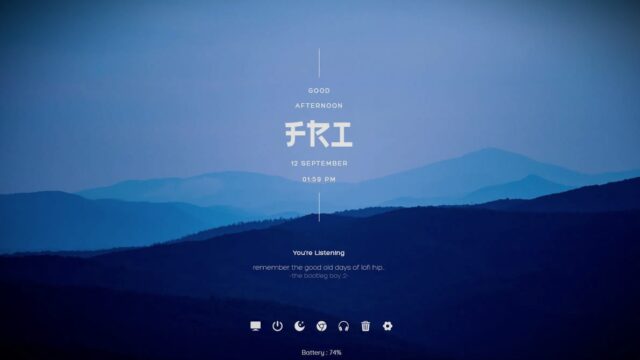
Hatsune Miku 2 Rainmeter Skin

The Hatsune Miku 2 Rainmeter Skin is a visually stunning and feature-rich customization option for your desktop. It includes a variety of widgets, such as a clock, weather display, system monitor, and music player, all adorned with the adorable and recognizable Hatsune Miku artwork.
Hatsune Miku Rainmeter Skin:
The Hatsune Miku 2 Rainmeter Skin offers a range of customization options to personalize your desktop experience.
- You can adjust the size, position, and transparency of the widgets to fit your preferences.
- The Hatsune Miku rainmeter skin is Created by an user named Kaza-SOU.
Additionally, some skins allow you to change the color scheme, background image, or even add your own artwork to further personalize the display.
Conclusion:
With the Hatsune Miku 2 Rainmeter Skin, you can bring your desktop to life and celebrate your love for Hatsune Miku in a unique and interactive way. Whether you’re a Vocaloid enthusiast or simply appreciate the captivating aesthetic of Hatsune Miku, this Rainmeter skin offers endless possibilities for customization and personal expression. Download the skin today and embark on a journey of desktop transformation that showcases your passion for Hatsune Miku!
Download Hatsune Miku 2 Rainmeter Skin:
How to Install Hatsune Miku 2 Rainmeter Skin on Windows 10 / 11
- Install Rainmeter: Ensure you have the latest version of Rainmeter installed from the official website (rainmeter.net).
- Download the Skin Package: Click the "Download Skin" button on this page to save the skin package (.rmskin or .zip archive) to your computer.
- Load the Skin: Double-click the downloaded .rmskin file and click "Install" in the Rainmeter Skin Installer window (if it is a .zip/.rar archive, extract the folder into Documents\Rainmeter\Skins and click "Refresh all" in the Rainmeter Manager).
- Customize Your Desktop: Right-click any active widget on your desktop to adjust scale, transparency, coordinates, or skin variables to match your wallpaper.