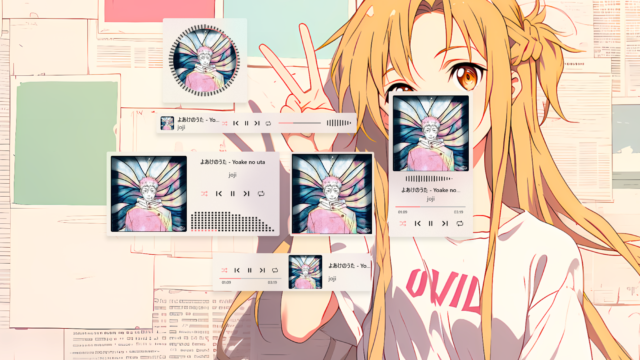
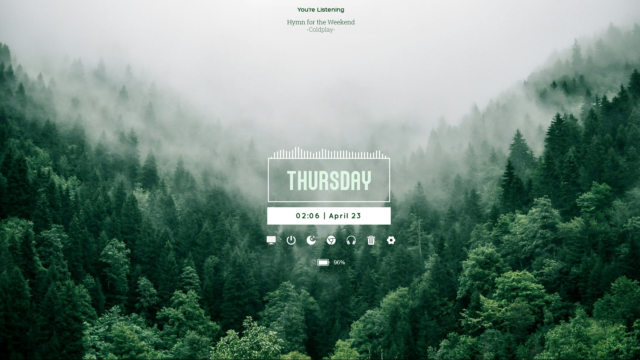
Eye of the Storm, Desktop Music Visualizer -Rainmeter Skin

Immerse yourself in the musical whirlwind with the “Eye of the Storm” Desktop Music Visualizer Rainmeter Skin. This extraordinary Rainmeter skin transforms your desktop into an immersive audio-visual experience, where your music becomes a tempest of captivating visualizations. Download the “Eye of the Storm” Desktop Music Visualizer Rainmeter Skin and embark on a journey of dynamic and mesmerizing music visualizations.
Eye of the Storm, Desktop Music Visualizer – About
The “Eye of the Storm” Desktop Music Visualizer Rainmeter Skin offers a breathtaking way to experience your music. This skin provides a selection of dynamic visualizations that respond to the beats, rhythms, and frequencies of your music, turning your desktop into a symphony of colors, patterns, and animations.
- Customize your visualizer to match your desktop aesthetics and personal preferences. Adjust the size, position, and style of the visualizer to seamlessly integrate it into your desktop layout.
- Whether you prefer subtle and elegant visualizations or bold and vivid displays, the “Eye of the Storm” Desktop Music Visualizer Rainmeter Skin offers customization options to cater to your taste.
Witness the magic of music as your favorite tracks come to life through captivating animations, pulsating colors, and rhythmic patterns. Watch in awe as the visualizer responds in real-time, creating a storm of music that immerses you in an audio-visual wonderland and transforms your music listening into a multisensory delight.
Conclusion:
Download the “Eye of the Storm” Desktop Music Visualizer Rainmeter Skin and dive headfirst into the mesmerizing world of music. Convert your desktop into an auditory and visual masterpiece, where your music becomes a dynamic and captivating storm of sound and color. Elevate your music listening experience to new heights with this immersive Rainmeter skin.
How to Install Eye of the Storm, Desktop Music Visualizer -Rainmeter Skin in Rainmeter
- Install Rainmeter: Ensure you have Rainmeter (4.5 or newer) installed from the official website (rainmeter.net).
- Download the Skin Package: Click the "Download Skin" button on this page to save the skin file (.rmskin or .zip archive) to your computer.
- Load the Skin: Double-click the downloaded .rmskin file and click "Install" in the Rainmeter Skin Installer prompt (if it is a .zip/.rar archive, extract the folder into Documents\Rainmeter\Skins and click "Refresh all" in the Rainmeter Manager).
- Customize Your Desktop: Right-click any active widget on your desktop to adjust scale, transparency, coordinates, or skin variables to match your wallpaper.
alatsombath
alatsombath is the creator and designer behind Eye of the Storm, Desktop Music Visualizer -Rainmeter Skin.