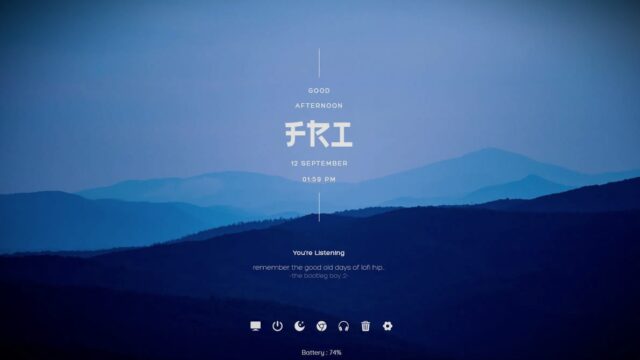
Lano Visualizer Rainmeter Skin

You can add a stylish and individualized audio visualizer to your Windows desktop with the Lano Visualizer Rainmeter skin. This skin is available for all versions of Windows.
About Visualizer :
The Lano Visualizer Rainmeter Skin offers an audio visualizer that responds to the sound being played on your computer and is both aesthetically pleasing and responsive. Based on the audio input, a set of moving and colored bars or waves are displayed.
This skin gives your desktop a decorative touch and improves the whole audiovisual experience when you’re watching movies or listening to music.
- This rainmeter visualizer skin is created By a DeviantArt user named MarcoPixel.
Conclusion:
Overall, Lano Visualizer is a popular Rainmeter skin for adding an attractive and dynamic audio visualizer to your Windows desktop. It allows you to personalize your desktop experience and enjoy visual effects synchronized with the audio playback on your computer.
Download Lano Visualizer:
- Click on the download button Below
- Download the skin and make your own!
- Then Extract the (.rar) Install the (.rmskin) file and Enjoy!
How to Install Lano Visualizer Rainmeter Skin on Windows 10 / 11
- Install Rainmeter: Ensure you have the latest version of Rainmeter installed from the official website (rainmeter.net).
- Download the Skin Package: Click the "Download Skin" button on this page to save the skin package (.rmskin or .zip archive) to your computer.
- Load the Skin: Double-click the downloaded .rmskin file and click "Install" in the Rainmeter Skin Installer window (if it is a .zip/.rar archive, extract the folder into Documents\Rainmeter\Skins and click "Refresh all" in the Rainmeter Manager).
- Customize Your Desktop: Right-click any active widget on your desktop to adjust scale, transparency, coordinates, or skin variables to match your wallpaper.