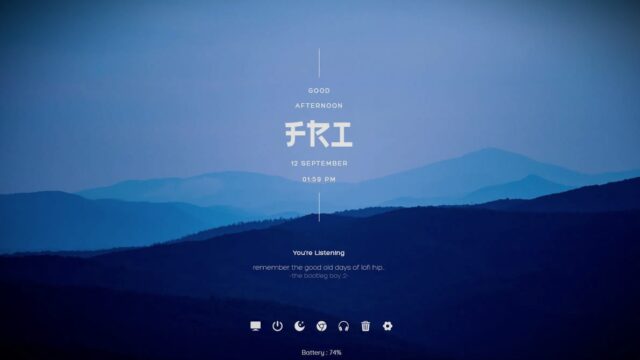
MonsterCat Visualizer Rainmeter Skin (Updated 2.0)

MonsterCat Rainmeter Skin is a Rainmeter skin based on the music label Monstercat. Rainmeter is a popular desktop customization tool for Windows that allows users to add various widgets, skins, and visual elements to their desktops.
MonsterCat Rainmeter Skin:
The MonsterCat Rainmeter Skin is designed to provide a visually appealing and functional desktop experience for fans of Monstercat’s music. It typically includes features such as a music player widget, visualizers, system monitoring widgets, and shortcuts to applications or websites related to Monstercat.
- To use the MonsterCat Rainmeter Skin, you’ll need to have Rainmeter installed on your Windows computer.
- After installing Rainmeter, you can download the MonsterCat Rainmeter Skin from below! Once downloaded, you can install the skin by double-clicking the .rmskin file and following the installation prompts.
After installation, you can activate and configure the MonsterCat Rainmeter Skin through the Rainmeter settings. This allows you to customize the appearance, position, and behavior of the various widgets included in the skin.
Download MonsterCat Rainmeter Skin
- Click on the Download button Below
- Download the skin and make your own!
How to Install MonsterCat Visualizer Rainmeter Skin (Updated 2.0) on Windows 10 / 11
- Install Rainmeter: Ensure you have the latest version of Rainmeter installed from the official website (rainmeter.net).
- Download the Skin Package: Click the "Download Skin" button on this page to save the skin package (.rmskin or .zip archive) to your computer.
- Load the Skin: Double-click the downloaded .rmskin file and click "Install" in the Rainmeter Skin Installer window (if it is a .zip/.rar archive, extract the folder into Documents\Rainmeter\Skins and click "Refresh all" in the Rainmeter Manager).
- Customize Your Desktop: Right-click any active widget on your desktop to adjust scale, transparency, coordinates, or skin variables to match your wallpaper.