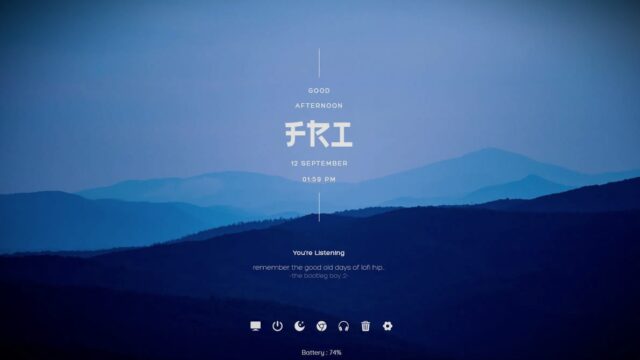
SketchyWeather Rainmeter Skin

Embrace a whimsical approach to weather monitoring with SketchyWeather, a delightful Rainmeter skin that combines functionality with a touch of artistic flair. This skin transforms mundane weather updates into a visually engaging experience, making your desktop both informative and entertaining.
SketchyWeather Rainmeter Skin — Key Features & Highlights
SketchyWeather Rainmeter Skin adds a touch of whimsy to your desktop while delivering accurate and up-to-date weather information.
- Playful Weather Illustrations:SketchyWeather replaces standard weather icons with charming and hand-drawn illustrations, adding a touch of creativity to your desktop.
- Real-Time Weather Updates:Stay informed about the current weather conditions with real-time updates conveniently displayed on your desktop.
- Temperature and Forecast:In addition to current weather conditions, SketchyWeather provides temperature information and a forecast, ensuring you're prepared for the day ahead.
- Configurable Settings:Customize the appearance and behavior of SketchyWeather through an easy-to-use settings menu, allowing you to tailor the skin to your preferences.
Experience the perfect blend of functionality and creativity by downloading and installing SketchyWeather today. Elevate your desktop with playful weather updates that go beyond the ordinary.
How to Install SketchyWeather Rainmeter Skin on Windows 10 / 11
- Install Rainmeter: Ensure you have the latest version of Rainmeter installed from the official website (rainmeter.net).
- Download the Skin Package: Click the "Download Skin" button on this page to save the skin package (.rmskin or .zip archive) to your computer.
- Load the Skin: Double-click the downloaded .rmskin file and click "Install" in the Rainmeter Skin Installer window (if it is a .zip/.rar archive, extract the folder into Documents\Rainmeter\Skins and click "Refresh all" in the Rainmeter Manager).
- Customize Your Desktop: Right-click any active widget on your desktop to adjust scale, transparency, coordinates, or skin variables to match your wallpaper.