Wetsuit Rainmeter Skin

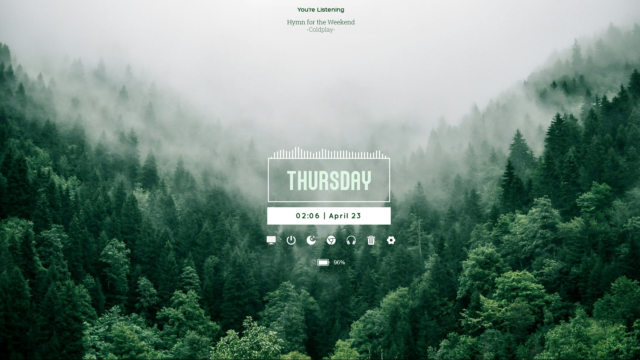
The Wetsuit Rainmeter Skin is a versatile collection of textless Rainmeter widgets that transform your desktop into a well-organized and aesthetically pleasing workspace. This theme is based on the styles from the “DIY Kit” skin, DryDock, and offers a wide range of widgets for various functions, making it a one-stop solution for enhancing your desktop.
Key Features:
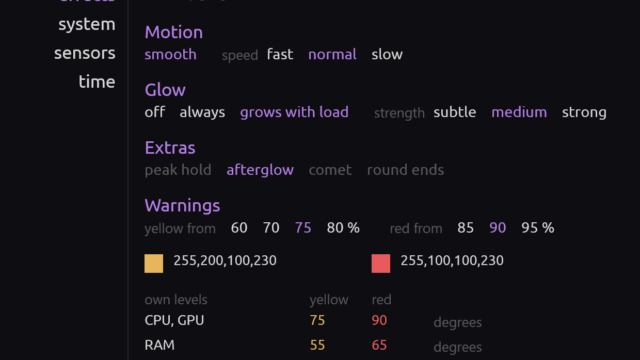
System Monitoring: The skin includes widgets for monitoring CPU, GPU, and RAM usage. You can choose from different sizes and styles to fit your preferences.
Network: Keep an eye on your network with widgets available in wide, large, and small formats.
Music: Display music information on your desktop with widgets available in both wide and small formats.
Picture Frame: Add a personal touch to your desktop by customizing the picture frame widget with your own images.
Disk Space: Monitor your disk space usage with widgets available in large and small sizes.
Date and Time: Stay informed about the date and time with widgets available in both large and small styles.
Volume Control: Easily control your system’s volume with widgets available in both large and small sizes.
Launcher: Quickly access your favorite applications with launcher widgets available in both large and small formats.
Battery: Keep track of your laptop’s battery status with a small battery widget.
Recycle Bin: Manage your deleted files with a small Recycle Bin widget.
Color Changer: Customize the color scheme of the widgets to match your desktop’s theme.
Tooltip Information: All widgets come with a tooltip that provides a more detailed and readable format of the information. Simply hover over the bottom-right icon to access this feature.
Conclusion:
Elevate your desktop experience with the Wetsuit Rainmeter Skin’s versatile collection of widgets. These textless and stylish widgets bring both functionality and aesthetics to your workspace. Download and install this skin to organize and enhance your desktop with a wide range of features and customization options.
How to Install Wetsuit Rainmeter Skin in Rainmeter
- Install Rainmeter: Ensure you have Rainmeter (4.5 or newer) installed from the official website (rainmeter.net).
- Download the Skin Package: Click the "Download Skin" button on this page to save the skin file (.rmskin or .zip archive) to your computer.
- Load the Skin: Double-click the downloaded .rmskin file and click "Install" in the Rainmeter Skin Installer prompt (if it is a .zip/.rar archive, extract the folder into Documents\Rainmeter\Skins and click "Refresh all" in the Rainmeter Manager).
- Customize Your Desktop: Right-click any active widget on your desktop to adjust scale, transparency, coordinates, or skin variables to match your wallpaper.
jalienet
jalienet is the creator and designer behind Wetsuit Rainmeter Skin.