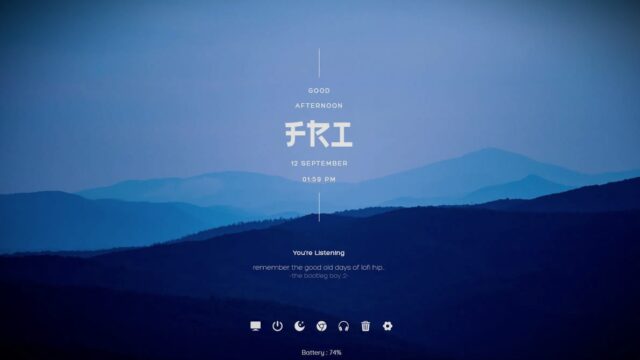
Rising Reflection Rainmeter THEME

The Rising Reflection Rainmeter Theme combines elegance with functionality, offering a sophisticated clock and detailed system monitoring features for your desktop.
Rising Reflection Rainmeter THEME — Key Features & Highlights
Rising Reflection Rainmeter Theme brings sophistication and functionality to your desktop with a beautifully designed clock and detailed system monitoring features.
- Clock:Experience a refined and visually appealing clock on your desktop. The Rising Reflection Rainmeter Theme offers a clock widget that not only serves its functional purpose but also enhances the aesthetics of your workspace.
- System Monitoring:Stay informed about crucial system metrics with the system monitoring features. Monitor CPU usage, RAM utilization, network activity, and more, ensuring you have real-time insights into your system's performance.
Elevate your desktop experience with the elegance of Rising Reflection.
How to Install Rising Reflection Rainmeter THEME on Windows 10 / 11
- Install Rainmeter: Ensure you have the latest version of Rainmeter installed from the official website (rainmeter.net).
- Download the Skin Package: Click the "Download Skin" button on this page to save the skin package (.rmskin or .zip archive) to your computer.
- Load the Skin: Double-click the downloaded .rmskin file and click "Install" in the Rainmeter Skin Installer window (if it is a .zip/.rar archive, extract the folder into Documents\Rainmeter\Skins and click "Refresh all" in the Rainmeter Manager).
- Customize Your Desktop: Right-click any active widget on your desktop to adjust scale, transparency, coordinates, or skin variables to match your wallpaper.