
Three Rainmeter Theme/Suite
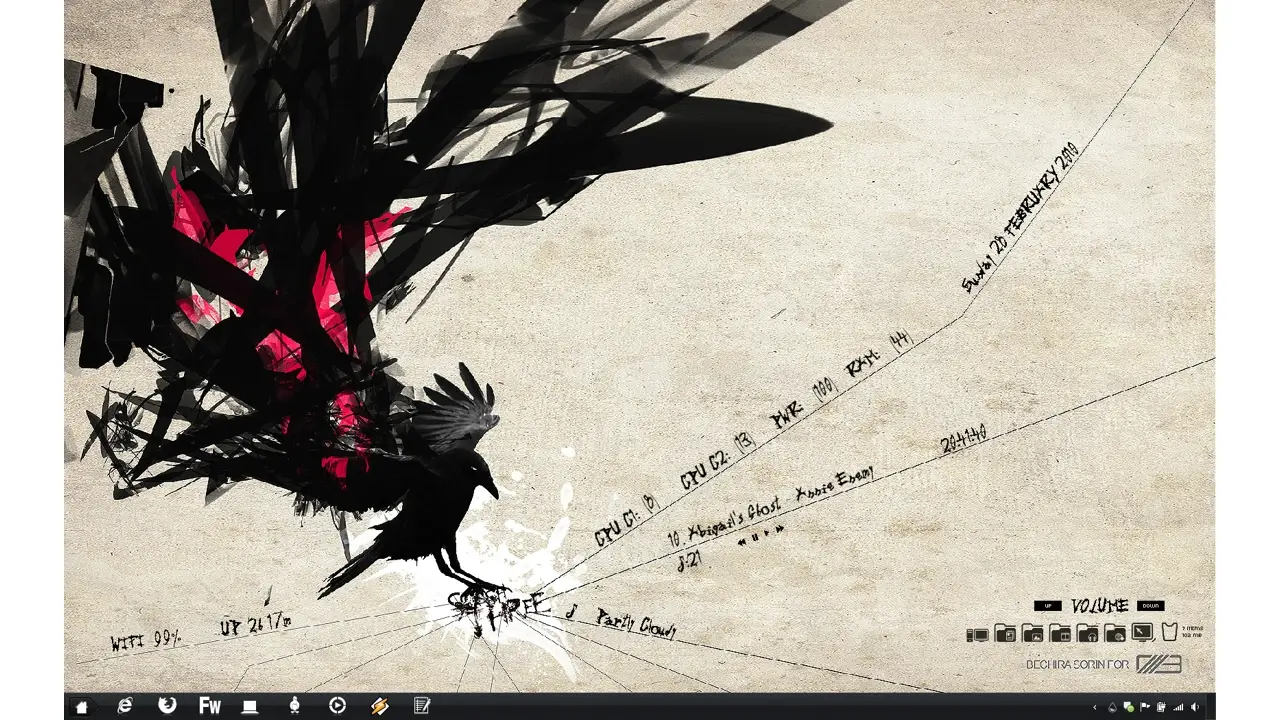
The Three Rainmeter Theme is a comprehensive desktop enhancement that provides a range of features to improve your desktop experience.
This theme includes system stats, a launcher bar, volume control, uptime display, weather information, wireless status, and Winamp control, ensuring that you have all the tools you need at your fingertips.
Key Features:
- System Stats: Monitor your computer’s performance with system stats that provide information about CPU usage, RAM usage, and other essential data.
- Launcher Bar: Access your favorite applications and shortcuts quickly with the launcher bar, streamlining your desktop experience.
- Volume Control: Adjust your computer’s volume easily and precisely with the integrated volume control.
- Uptime Display: Keep track of your system’s uptime, helping you understand how long your computer has been running.
- Weather Information: Stay informed about current weather conditions and forecasts to plan your days effectively.
- Wireless Status: Monitor your wireless connection status to ensure you stay connected to the internet.
- Winamp Control: Manage your Winamp music player directly from your desktop, making it easy to control your audio playback.
The Three Rainmeter Theme is a versatile desktop enhancement that offers a wide range of features, including system stats, a launcher bar, volume control, uptime display, weather information, wireless status, and Winamp control.
Download and install this theme to create a more efficient and feature-rich desktop experience.
How to Install Three Rainmeter Theme/Suite on Windows 10 / 11
- Install Rainmeter: Ensure you have the latest version of Rainmeter installed from the official website (rainmeter.net).
- Download the Skin Package: Click the "Download Skin" button on this page to save the skin package (.rmskin or .zip archive) to your computer.
- Load the Skin: Double-click the downloaded .rmskin file and click "Install" in the Rainmeter Skin Installer window (if it is a .zip/.rar archive, extract the folder into Documents\Rainmeter\Skins and click "Refresh all" in the Rainmeter Manager).
- Customize Your Desktop: Right-click any active widget on your desktop to adjust scale, transparency, coordinates, or skin variables to match your wallpaper.


