
Summit Rainmeter Skin: Minimal Desktop Setup
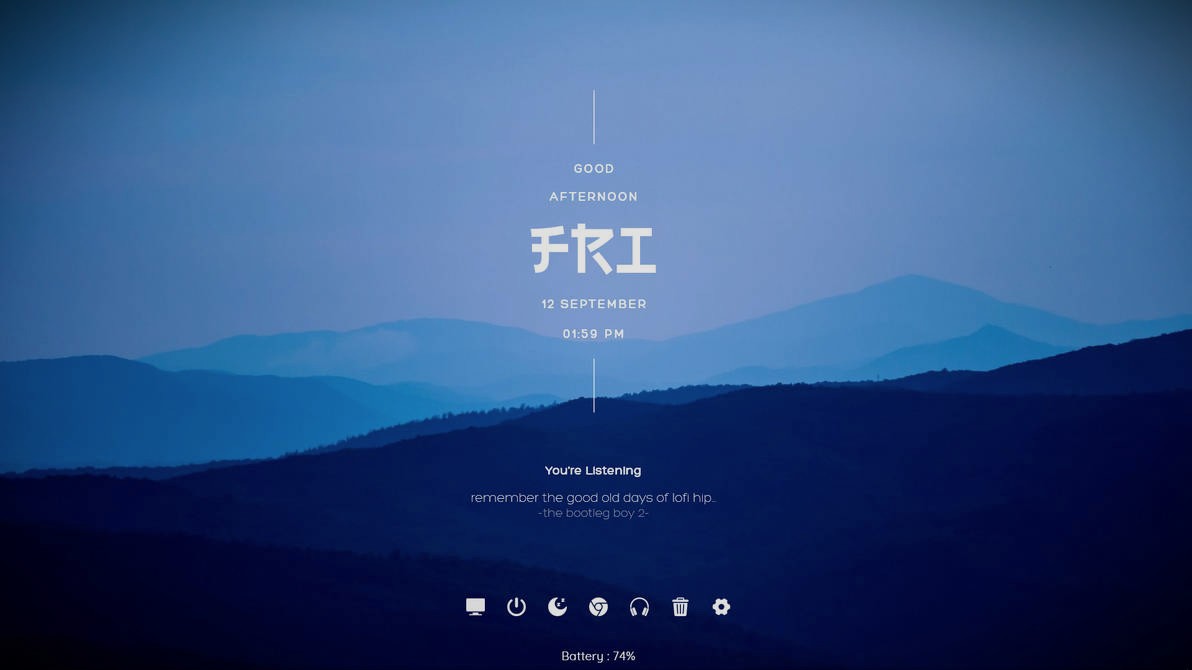
The Summit Rainmeter Skin brings a clean, modern aesthetic to your desktop layout. It focuses on simplicity and functional design to keep your screen organized.
About Summit Rainmeter Skin
Summit provides an elegant setup tailored for users who prefer minimalistic desktop designs. It blends smoothly into quiet desktop environments while offering key desktop monitoring and control elements.
Configuration is handled directly through a dedicated variables file. This layout makes editing your preferences straightforward without needing complex script adjustments.
The suite also integrates with media players. By pairing the skin with WebNowPlaying, you can display active playback information right on your screen.
- Minimalist and modern desktop visual design
- Customizable options via the Variables.inc file
- Music player tracking using WebNowPlaying integration
- Browser media playback support with Chrome and Firefox extensions
Conclusion
Summit Rainmeter Skin offers a sleek and practical desktop solution for anyone looking to maintain a minimal layout with music player integration.
Summit Rainmeter Skin: Minimal Desktop Setup — Key Features & Highlights
Minimal Design: Delivers a sleek and elegant visual layout for your desktop.
Variable File Customization: Allows customization through the included Variables.inc file.
Music Player Integration: Displays media info when paired with the WebNowPlaying skin.
Browser Playback Support: Works with web media players using Chrome and Firefox browser extensions.
How to Install Summit Rainmeter Skin: Minimal Desktop Setup on Windows 10 / 11
- Install Rainmeter: Ensure you have the latest version of Rainmeter installed from the official website (rainmeter.net).
- Download the Skin Package: Click the "Download Skin" button on this page to save the skin package (.rmskin or .zip archive) to your computer.
- Load the Skin: Double-click the downloaded .rmskin file and click "Install" in the Rainmeter Skin Installer window (if it is a .zip/.rar archive, extract the folder into Documents\Rainmeter\Skins and click "Refresh all" in the Rainmeter Manager).
- Customize Your Desktop: Right-click any active widget on your desktop to adjust scale, transparency, coordinates, or skin variables to match your wallpaper.


