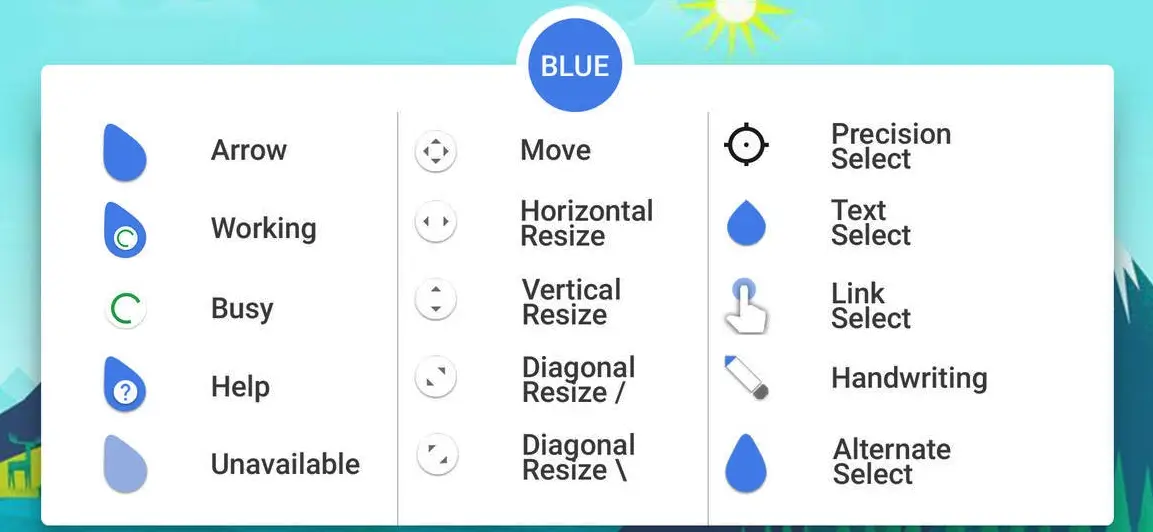
Vision Cursor For Windows

The Vision Cursor is a custom cursor pack for Windows computers that changes the appearance of the mouse pointer.
It includes a set of cursors with a unique design, such as different shapes, colors, and animations. Users can download and install cursor packs like Vision Cursor to customize their mouse pointer’s look.
How to Install Vision Cursor For Windows on Windows 10 / 11
- Install Rainmeter: Ensure you have the latest version of Rainmeter installed from the official website (rainmeter.net).
- Download the Skin Package: Click the "Download Skin" button on this page to save the skin package (.rmskin or .zip archive) to your computer.
- Load the Skin: Double-click the downloaded .rmskin file and click "Install" in the Rainmeter Skin Installer window (if it is a .zip/.rar archive, extract the folder into Documents\Rainmeter\Skins and click "Refresh all" in the Rainmeter Manager).
- Customize Your Desktop: Right-click any active widget on your desktop to adjust scale, transparency, coordinates, or skin variables to match your wallpaper.